
Order Handling
- Processing time
- 1–3 business days
Orders are dispatched from our Hong Kong warehouse. Handling time is separate from shipping time.

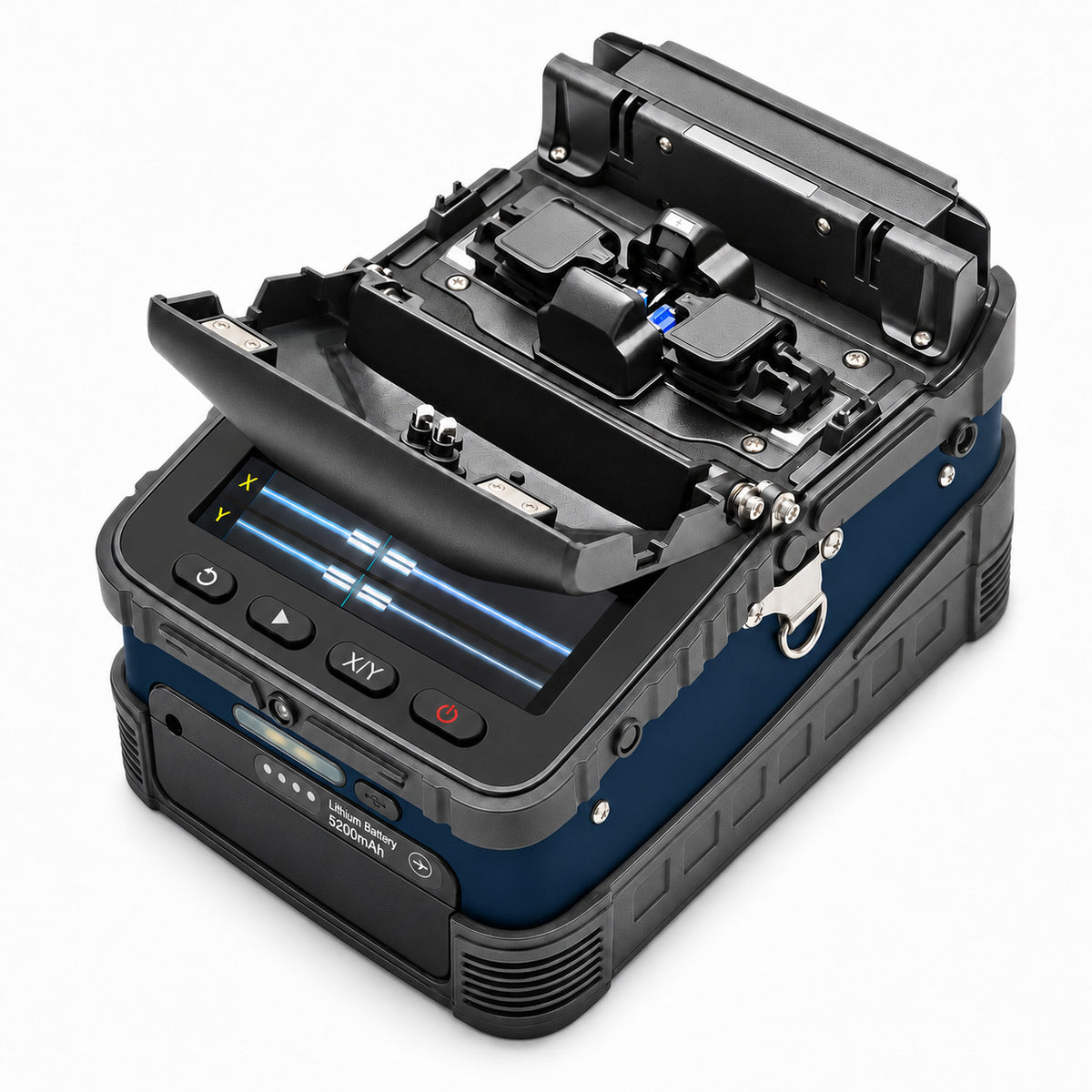


Automatic Multi & Single Mode Fibre Optic Fusion Splicer.
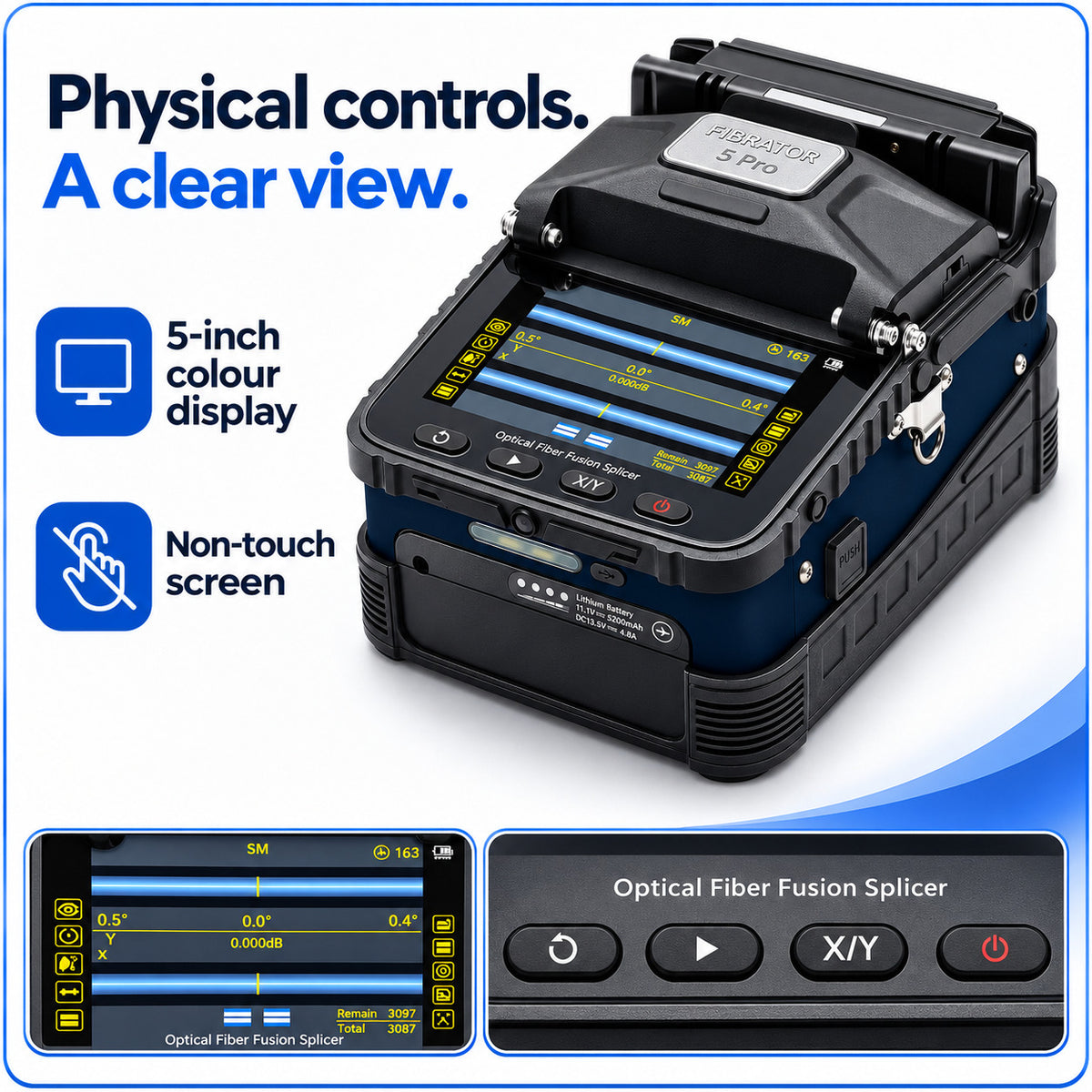
FIBRATOR 5 Pro is a single-fibre fusion splicer kit for FTTH installations, fibre-connected security projects and maintenance work. Six-motor core alignment, physical controls and a 5-inch colour display support the work from prepared fibre ends to a protected splice.
Supplier-rated 8-second splicing and 18-second sleeve heating pair with a removable 5200mAh battery and the supplied cleaver and preparation tools. The display is non-touch; SignalFire2 provides configuration and record-management functions. Fibre preparation, calibration and testing remain part of a professional installation.
THE DETAILS THAT MATTER
The hardware, supported fibres and operating details.
For trained fibre installers. Clean preparation, correct cleaving and arc calibration affect results. Screen views and application scenes are illustrative.
Orders are dispatched from our Hong Kong warehouse. Handling time is separate from shipping time.
Free standard UK delivery. Taxes and import charges are included. The total estimate includes handling and shipping. Read our Shipping Policy for delivery details.
Check the kit against your installation needs. If it does not meet your needs or perform as expected, request a return within 30 days of purchase.
Please read our Returns & Refunds Policy for the UK return process, postage costs and refund details. Statutory rights remain unaffected.
Delivery timeframes are estimates and may vary due to public holidays, weather or carrier delays.

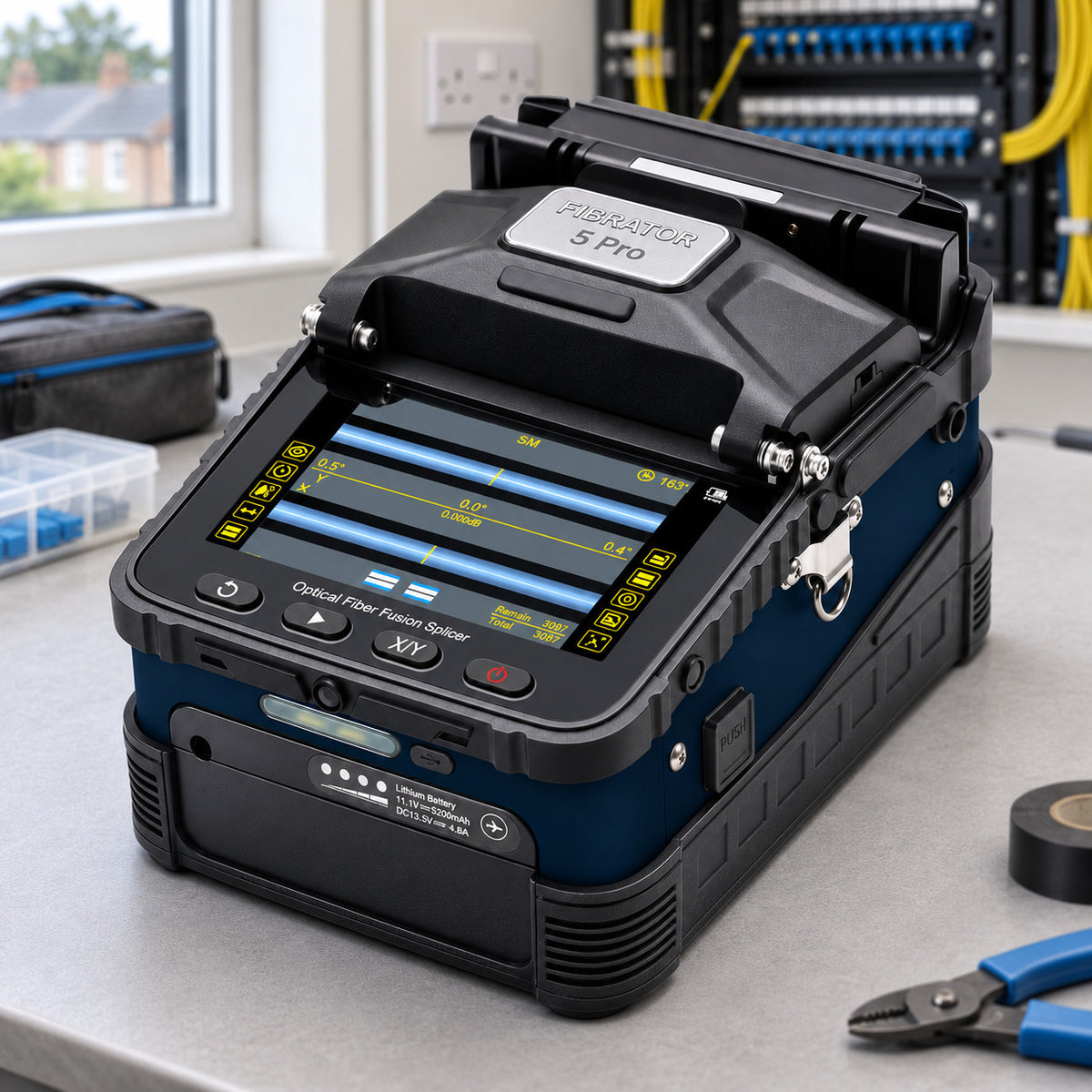
Illustrative installation setting. Follow the supplied operating instructions.
THE WORK BETWEEN THE ENDPOINTS
From a new fibre drop to a repaired cable, FIBRATOR 5 Pro brings alignment, fusion and sleeve heating into one portable workflow.

Open chamber view. Screen imagery is illustrative.
PREPARE · SPLICE · PROTECT
Automation helps after the fibre ends are correctly prepared. Keep the preparation and the final verification in your routine.
Prepare each fibre with the supplied tools. Clean the exposed glass and use the S07 cleaver for a precise end face.
Place the prepared ends in the holders, select appropriate settings and run the splice cycle. Inspect the X/Y screen views.
Centre a compatible sleeve over the joint and heat it. Test the installed link; the on-screen loss figure is an estimate.
Arc calibration is part of setup and maintenance. Read the manual before first use.
MATCH THE TOOL TO THE JOB
Choose a single-fibre splicer for joining compatible fibre ends, and keep the required measurement tools in your workflow.
| Check | FIBRATOR 5 Pro | What it means |
|---|---|---|
| Joining method | Electric-arc fusion | Permanent joining of prepared, compatible fibres. |
| Fibre handling | One fibre pair at a time | Multi-fibre cable can be worked fibre by fibre; not simultaneous ribbon fusion. |
| Fibre families | SM, MM, DS, NZDS and BIF | Match the fibre standards and program; do not assume any two different fibres can be joined. |
| User interface | Physical buttons + colour display | Non-touch screen. SignalFire2 supports configuration and records. |
| Loss assessment | Splice-loss estimate on screen | Use suitable optical test equipment for actual link verification. |
| Integrated testing | OPM / VFL / OTDR not specified | This offer is a splicer kit; those test instruments are separate. |

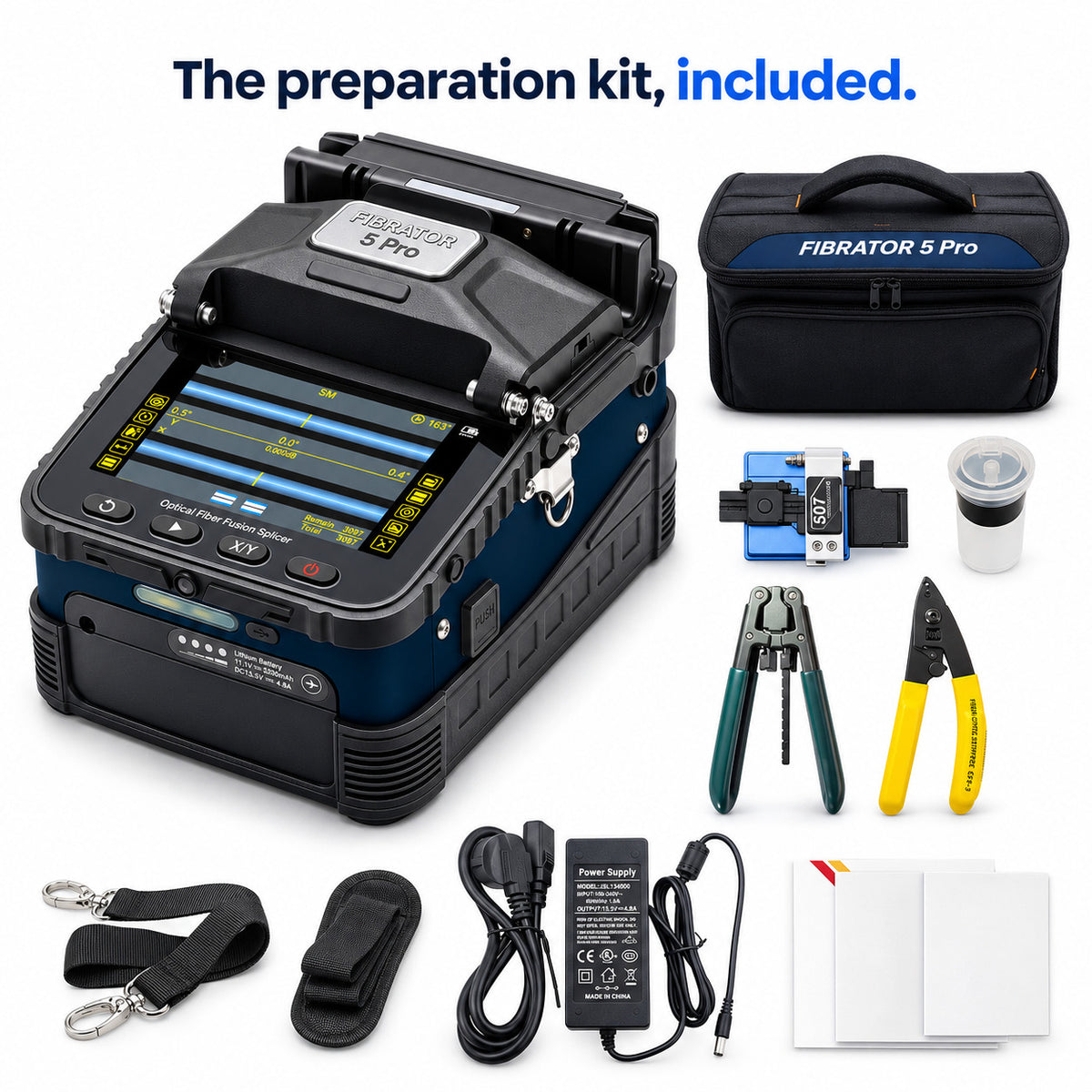
Kit presentation based on the supplied accessory reference.
THE TOOLS THAT TRAVEL TOGETHER
The supplied kit covers fibre preparation, carrying and charging. Check the contents below against the tools already on your bench.
Navy device with removable 5200mAh battery.
For the machine and accessories between jobs.
For preparing the fibre end faces.
Wire-stripping pliers and Miller-style fibre stripper.
Container supplied; cleaning liquid is not listed as included.
The two carrying accessories shown in the supplier kit.
Mains power for charging the device or detached battery.
Operating paperwork and fibre for arc calibration.
Protective sleeves and spare electrodes are not listed in the supplied kit. Check your consumables before heading out.
BEFORE THE FIRST CONNECTION
Details for choosing, preparing and maintaining your splicer.
Ask about FIBRATOR 5 ProNo. This model has a 5-inch colour display and physical controls. SignalFire2 provides phone-based configuration and record functions.
No continuous Bluetooth connection is needed for ordinary splicing. Use the compatible SignalFire2 app when configuring the machine, calibrating through the app or managing records.
They are supplier-rated splicing and sleeve-heating cycle times. Stripping, cleaning, cleaving, loading and final testing are additional.
No. The motors position and focus the fibre ends. This is a single-fibre splicer, not a mass-fusion ribbon machine.
The supplied specification lists supported single-mode and multimode standards. Select the correct settings and compatible fibres; this does not mean a single-mode fibre should be joined to any multimode fibre.
No. Displayed splice loss is an estimate. Use appropriate optical testing, including OTDR testing where required, to assess the actual installation.
No integrated OPM, VFL or OTDR is specified for this offer. Arrange the test equipment required for your work separately.
The supplier rates the 5200mAh battery for approximately 160 splice-and-heat cycles per full charge. Settings, temperature and use affect the result. The battery is removable and can be charged separately.
Keep the fibre holders and optical surfaces clean, prepare fibre correctly, perform arc calibration as instructed and replace electrodes when required. Follow the supplied manual.
It is intended for trained fibre installers. Automatic alignment does not replace correct fibre preparation, safe handling and installation testing.
Standard UK delivery is free. Current policy estimates 1–3 business days handling plus 3–5 business days transit from Hong Kong. The commercial trial is 30 days from purchase; covered technical faults have a 2-year replacement warranty. See the linked store policies for conditions and UK returns.