
Order Handling
- Processing time
- 1–3 business days
Orders are dispatched from our Hong Kong warehouse. Handling time is separate from shipping time.
For help choosing a checking mode or arranging a return, contact our team.
Shipping Information
Free standard UK delivery. Estimated total: 4–8 business days including handling.
Customer Support
Email contact@signalcollector.com for product support.
FAQ’s
See the practical questions at the end of this product page.
Contact Us
Your 30-day trial starts on delivery. Contact us before sending a return.



Find hidden-camera clues, wireless bugs and magnetic GPS tracker attachments.
Check before you unpack, speak freely or set off. Spectra Plus combines a hidden camera lens finder, RF bug detector and magnetic GPS tracker attachment checks in one pocket-sized touchscreen device for hotels, holiday rentals, homes, offices and cars.
Choose your mode, sweep slowly and inspect the alert location. Six-LED lens finding, infrared detection, AI signal-event monitoring and a separate motion alarm give you more ways to investigate. Each method responds to different clues; detection depends on the source and conditions.
THE DETAILS THAT MATTER
Touchscreen control. Multiple ways to investigate.
An alert is a clue to inspect. RF needs an active transmission; optical checks need a visible lens reflection; magnetic checks require proximity. Do not aim the illumination at eyes.
Orders are dispatched from our Hong Kong warehouse. Handling time is separate from shipping time.
Free standard UK delivery. Taxes and import charges are included. The total estimate includes handling and shipping. Read our Shipping Policy for delivery details.
Try Spectra Plus in your space. If it does not meet your needs or perform as expected, request a return within 30 days of delivery.
Please read our Returns & Refunds Policy for the UK return process, postage costs and refund details. Statutory rights remain unaffected.
Delivery timeframes are estimates and may vary due to public holidays, weather or carrier delays.
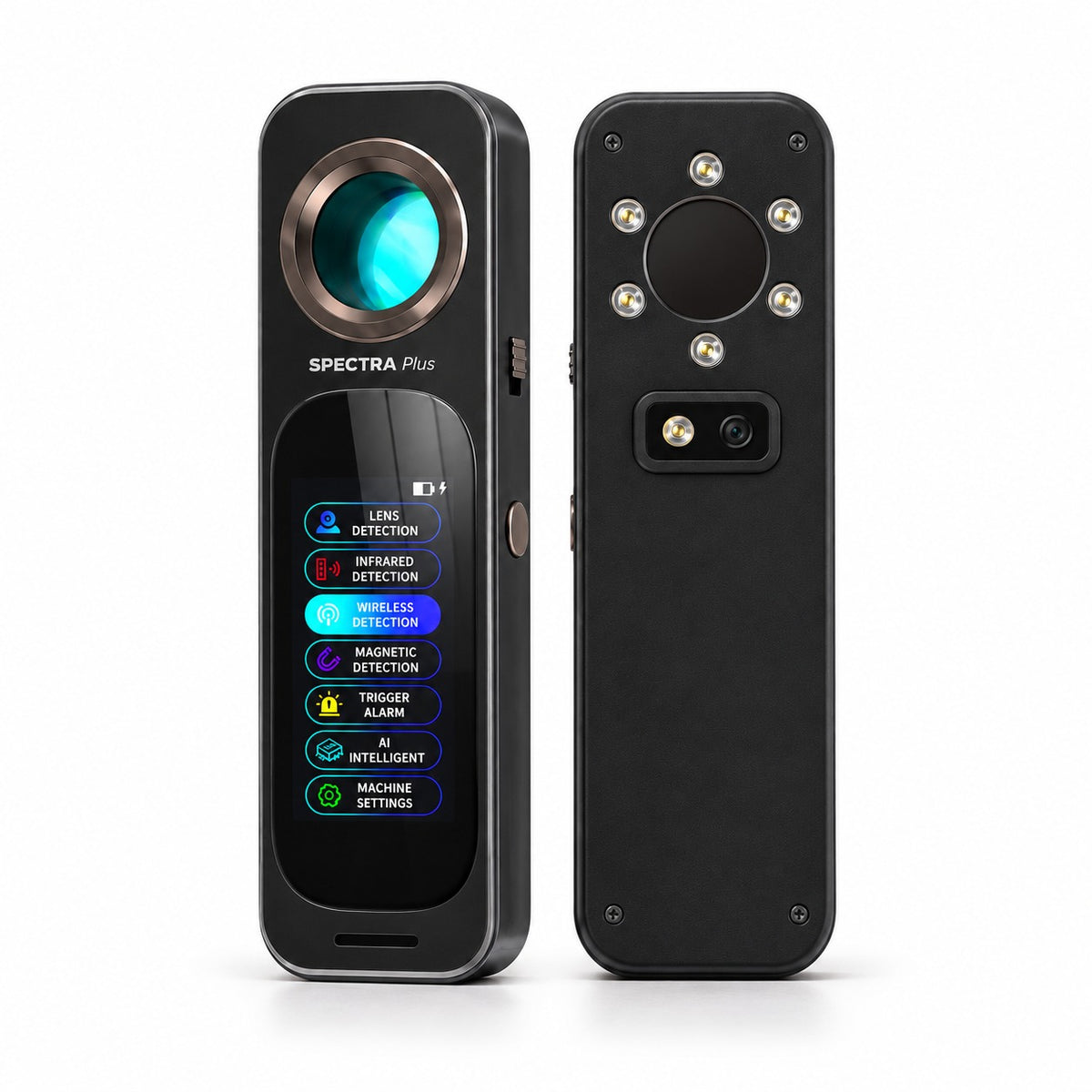
YOUR SPACE. YOUR CONVERSATIONS. YOUR JOURNEY.
A camera can sit inside an everyday object. A wireless bug can transmit a conversation. A magnetic GPS tracker can travel out of sight. Spectra Plus gives you different ways to check before you settle in.
Examples illustrate possible uses. Detection depends on the source, mode and conditions.

HIDDEN CAMERA LENS FINDER
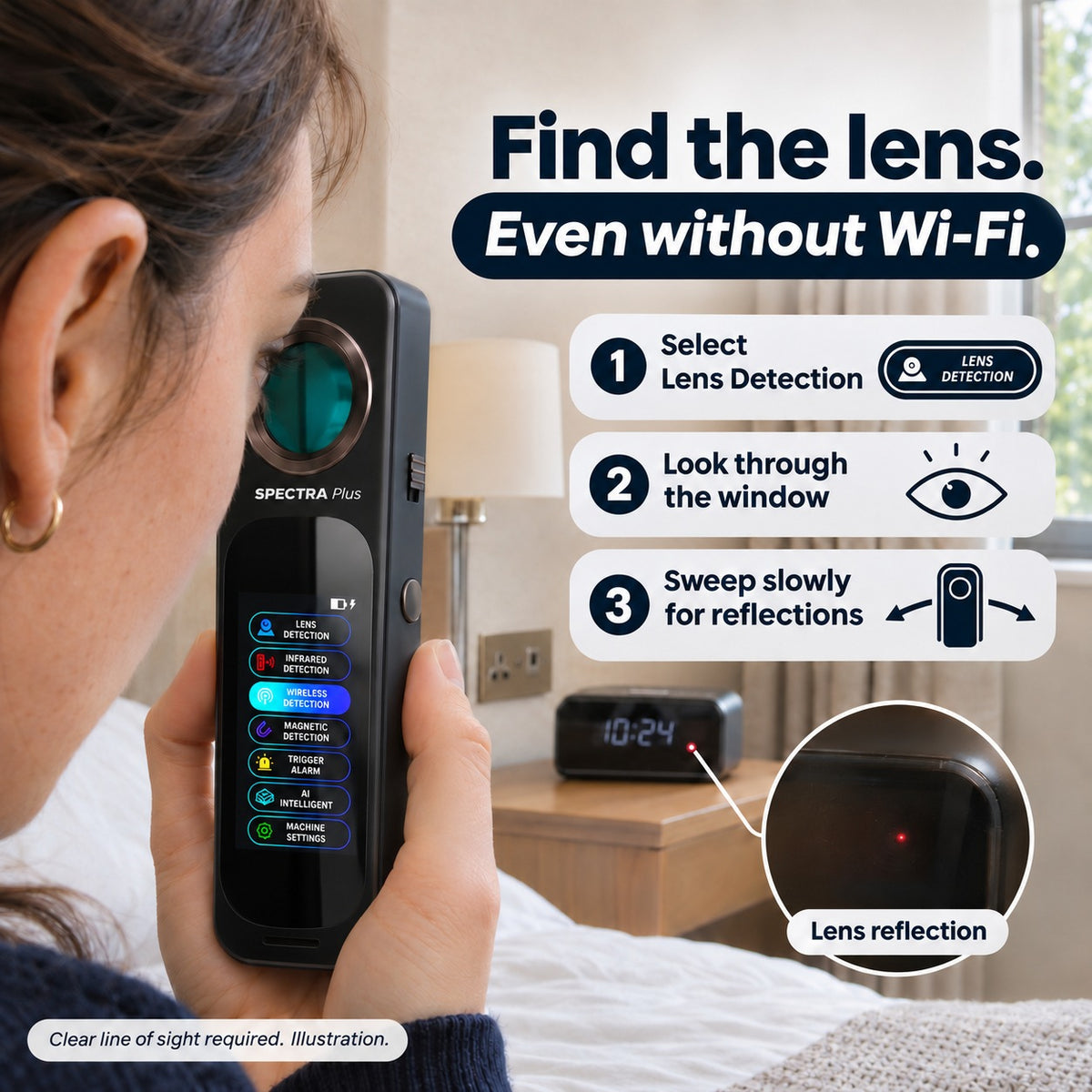
Use the optical finder to look for exposed camera-lens reflections in bedside objects, shelves and fixtures.
Activate the lens-finding illumination.
Point the rear illumination towards the area you are inspecting.
Look for a small reflection, then inspect the object directly.
A visible lens and clear viewing angle are needed. Do not aim illumination at eyes.
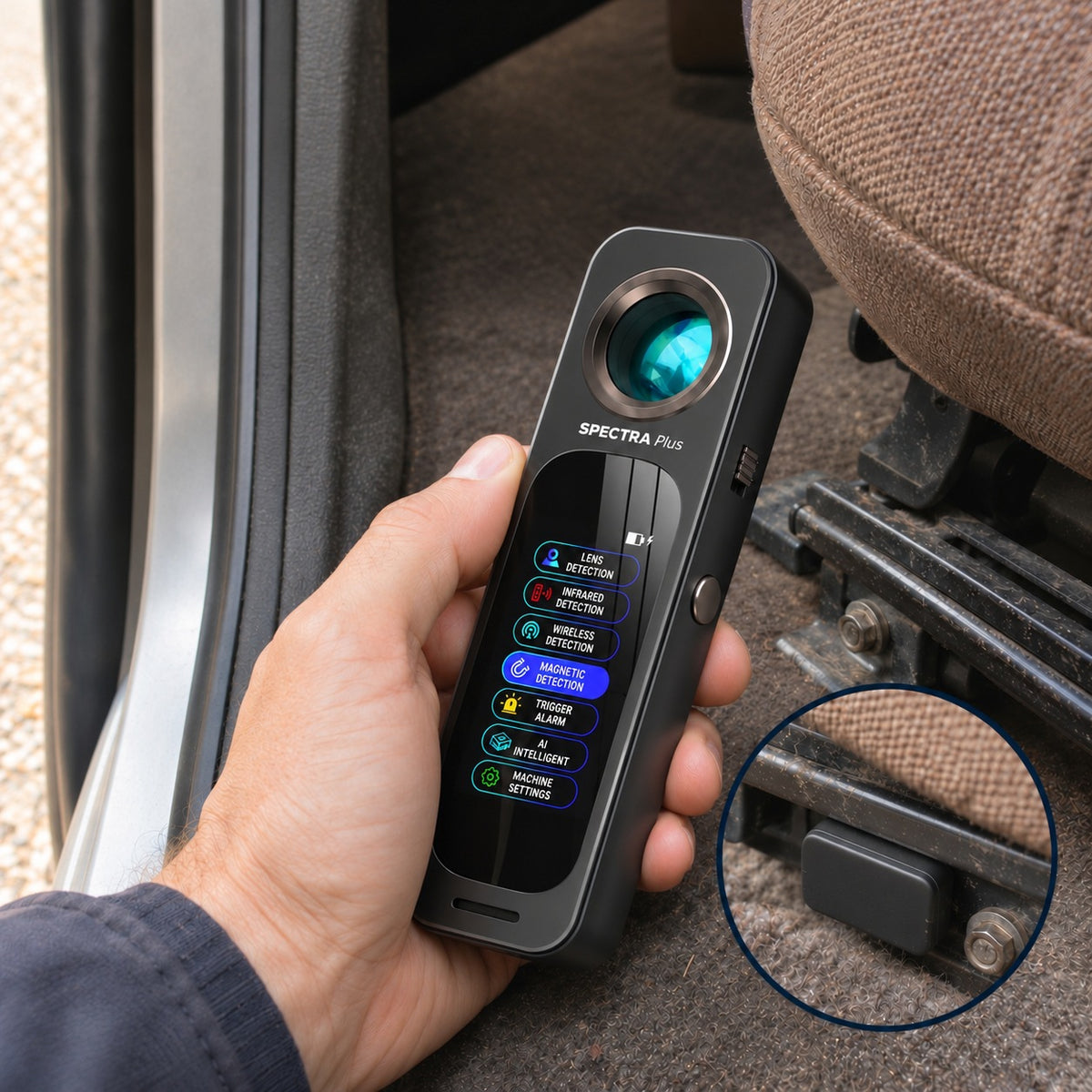
GPS TRACKER ATTACHMENT CHECKS
Magnetic mode helps locate magnetic attachments used on some GPS trackers, including when that attachment is not transmitting.
Park safely and start with accessible surfaces.
Move slowly around seat rails and other places you can inspect safely.
Look for an unfamiliar attachment. Use RF mode as another check when a tracker is transmitting.
Not every GPS tracker is magnetic. A magnetic response can also come from ordinary objects.
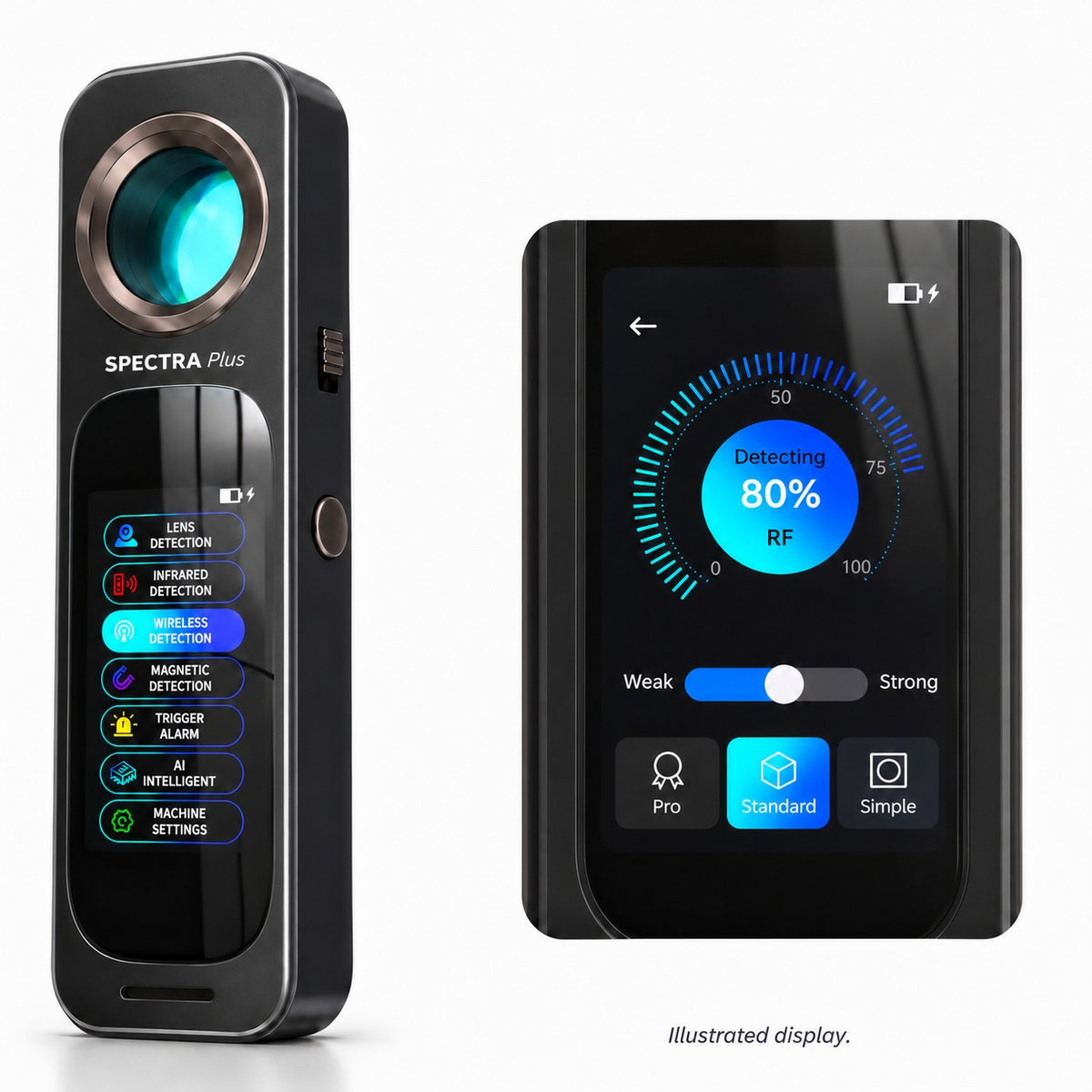
RF BUG DETECTION
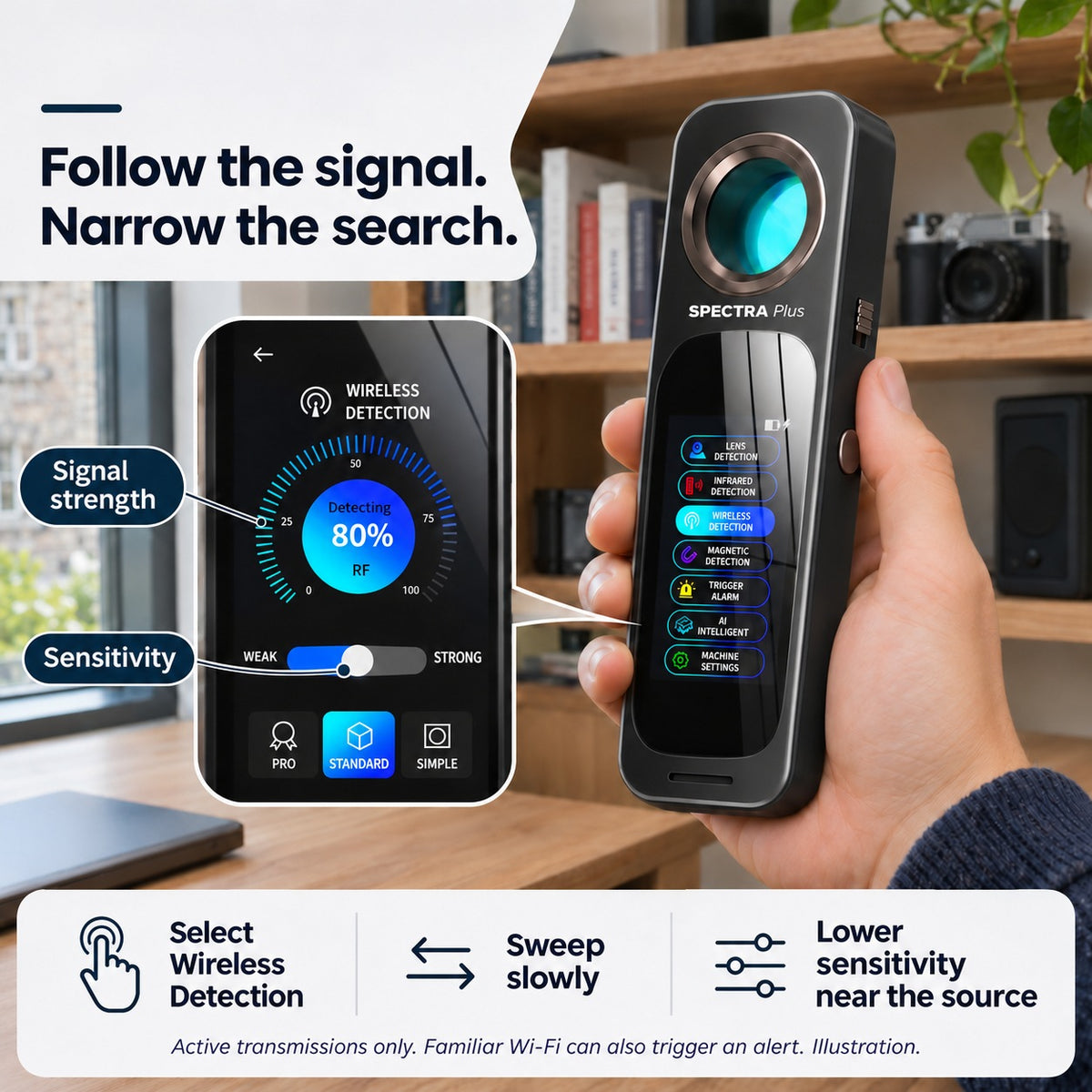
For hotel rooms, offices and meeting spaces: scan for active radio transmissions, then narrow your inspection.
Reduce familiar wireless sources where practical, then sweep the area slowly.
Compare the response as you move towards and away from a possible source.
Reduce sensitivity near a stronger response to narrow the search.
Ordinary phones and Wi-Fi can also trigger RF alerts. A signal reading does not identify the device.
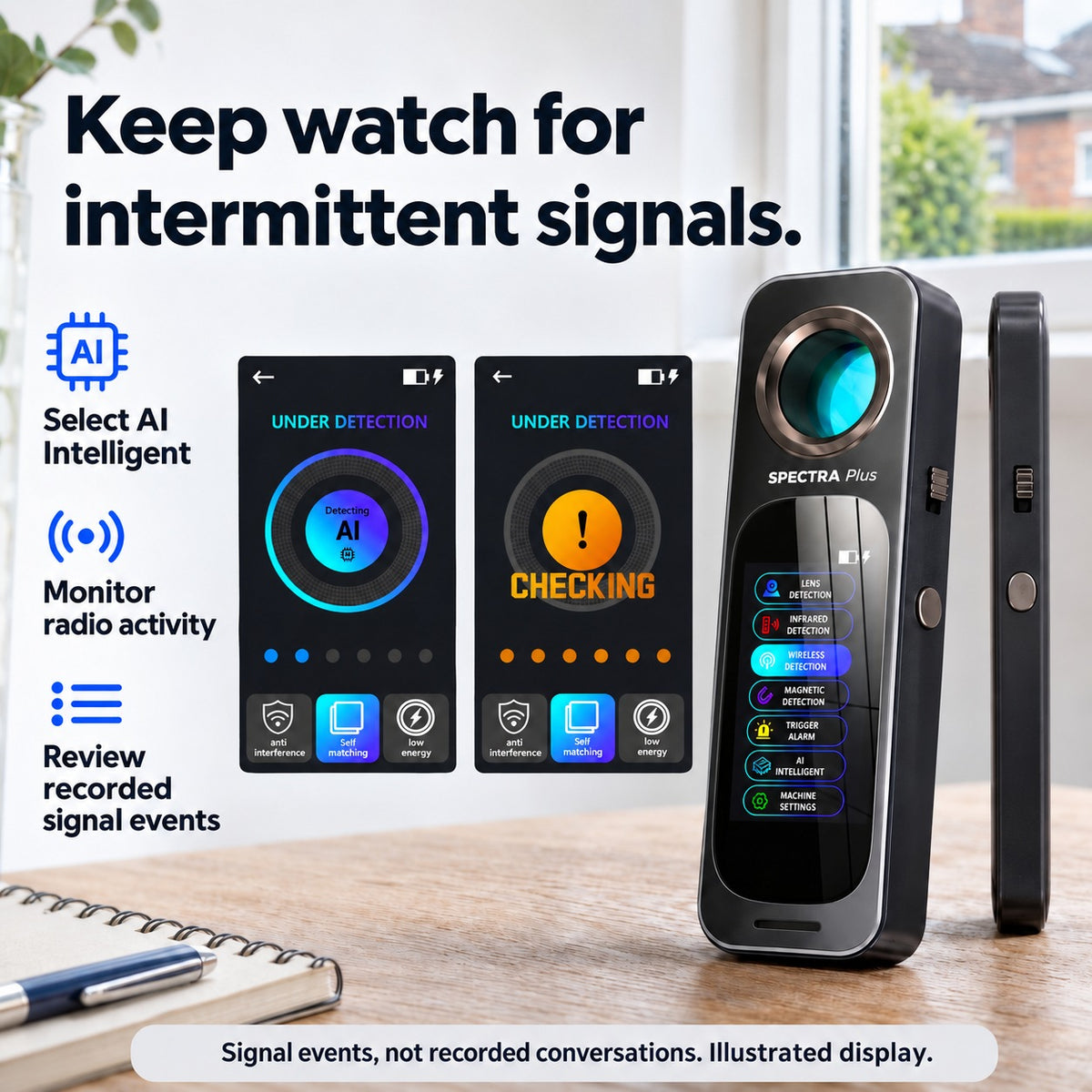
AI SIGNAL MONITORING
A quick sweep can miss activity between transmissions. AI Intelligent mode monitors and records intermittent signal events for follow-up.
Choose the dedicated monitoring mode on the touchscreen.
Use the signal-event record to flag activity worth inspecting.
Return to Wireless Detection and investigate the possible source.
Records signal events, not conversations. It does not identify every transmitter or certify a room as clear.
A FEW PRACTICAL DETAILS
Know what each mode tells you, and what to do next.
Ask our teamYes. Magnetic mode helps locate magnetic attachments used by some GPS trackers. RF mode provides another way to investigate a tracker while it is transmitting within the supported frequencies. Move close, inspect accessible areas and check the source of an alert. Non-magnetic or non-transmitting trackers may not trigger the relevant mode.
Select Lens Detection, look through the circular viewing window and sweep slowly. The rear LEDs illuminate the area; an exposed lens may return a small reflection. Try different viewing angles, then inspect the object. Other reflective objects can also catch the light.
Move slowly to compare the response around the possible source. Reduce sensitivity as you get closer, inspect and recheck. Ordinary phones, routers and other transmitting electronics can trigger alerts too.
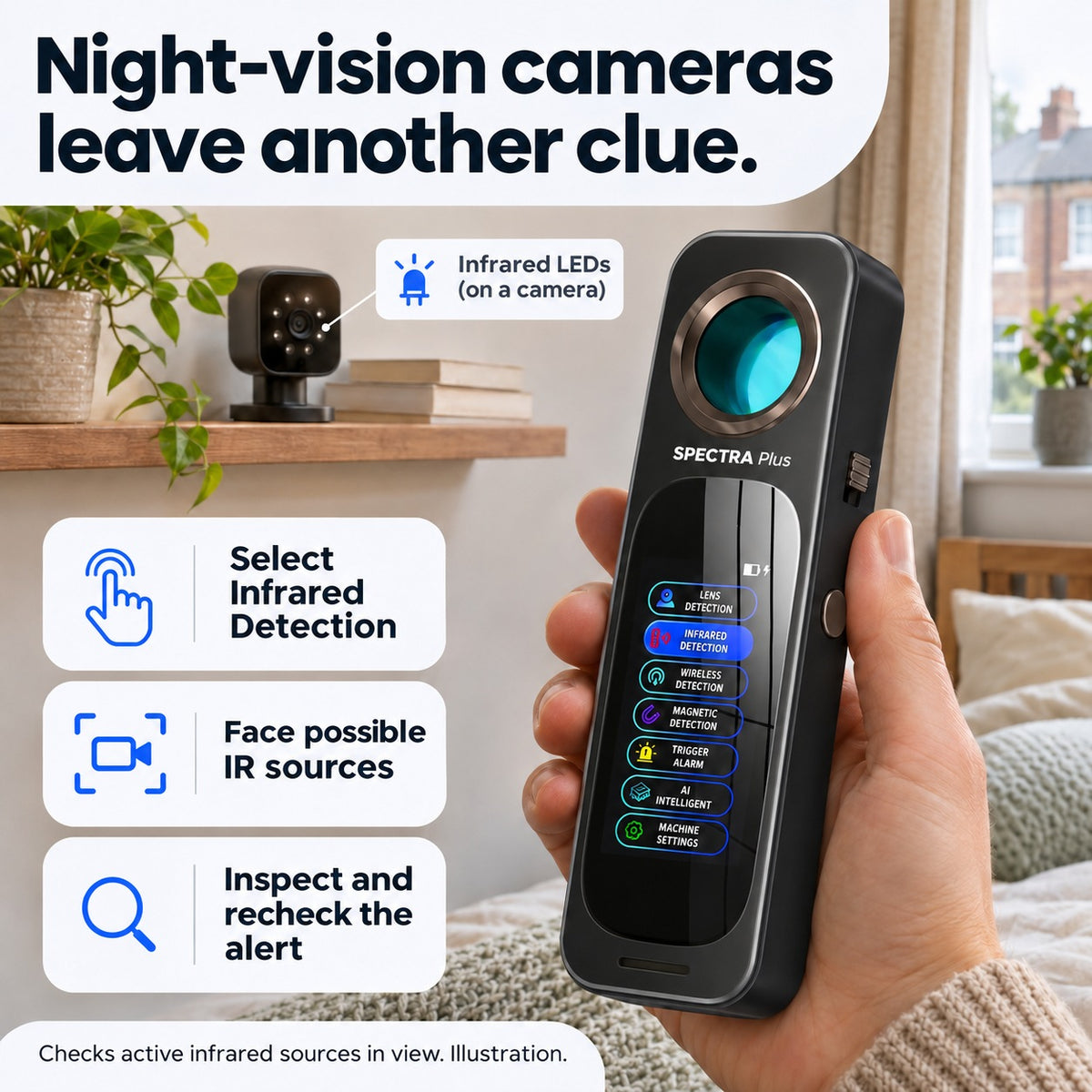
Select Infrared Detection and face possible infrared sources, such as the active IR illumination on some night-vision cameras. Follow up an alert with visual inspection. The source must be active and in view.
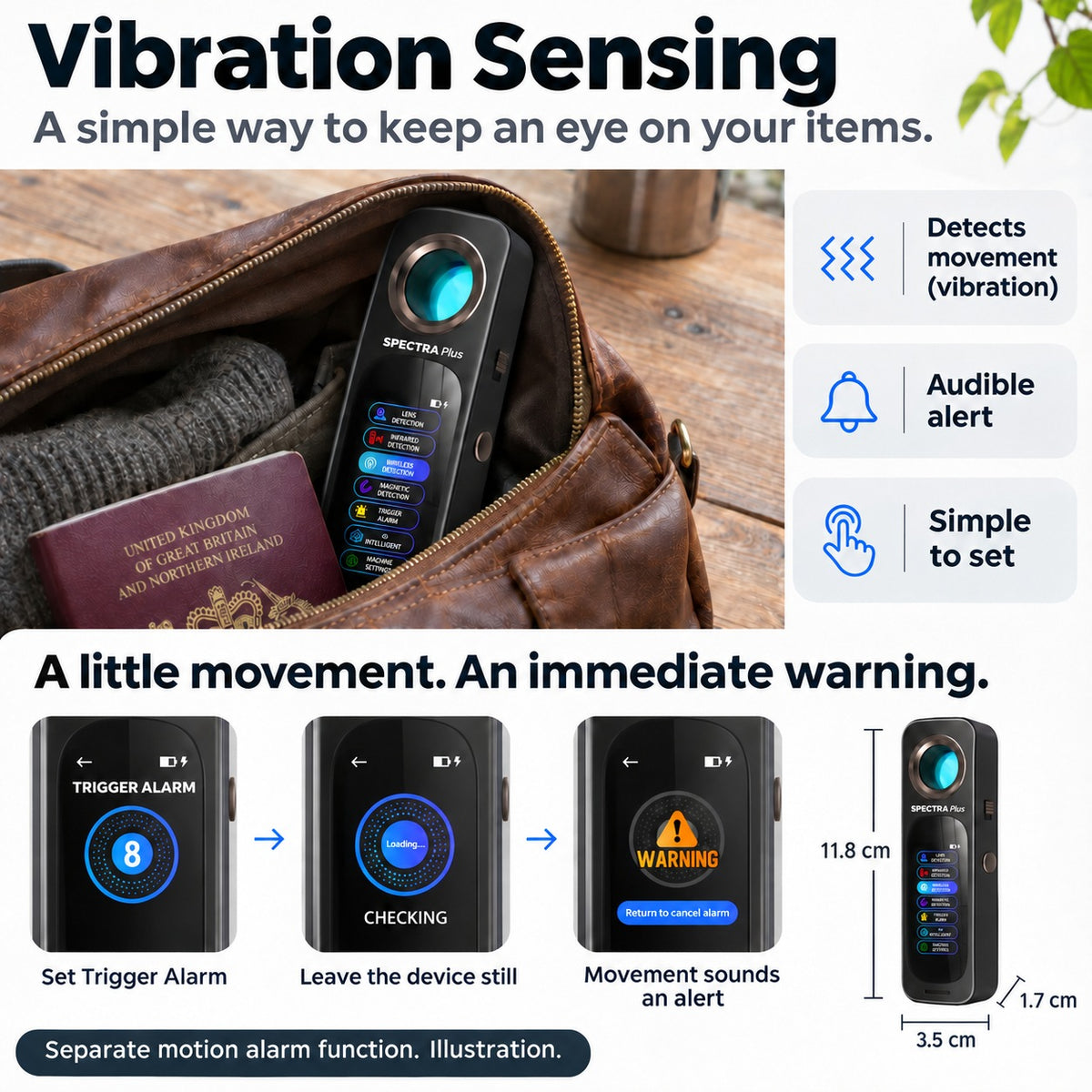
Select Trigger Alarm, position the detector where movement of the item will also move the detector, and let the countdown finish while it remains still. Movement then triggers an audible alert. It is an additional warning, not a lock or a way to prevent theft.
The supplier describes monitoring and recording of intermittent wireless signal events. These are radio-activity indications for follow-up, not recorded conversations, photographs or proof of a particular hidden device.
Different devices leave different clues. An offline camera may still have an exposed lens; an active transmitter emits radio signals; a night-vision camera may emit infrared; a tracker may use a magnetic attachment. Choose the method that matches the clue and inspect the source.
Your 30-day trial starts on delivery. Standard UK delivery is free, with an estimated total of 4–8 business days including handling. Orders dispatch from Hong Kong with applicable import charges included. A two-year replacement warranty covers qualifying technical faults. See our delivery terms and returns policy.